
Yeah , yeah , yeah even am sick of this Android SDK installation 😢 but don’t worry let’s figure it out ! 😎
Why we need to setup SDK?🤔
SDK : Software Development Kit , it’s a collection of softwares to create a software. We need this android SDK to ,
- Configure our android project
- Build our android app
- Run our android app
The new version of the android SDK seems to be configured and installed by out own and that’s a tedious job 🤕
but no need to worry we have an alternative , the older version of the android SDK is slightly easy to install and can be updated later ! pretty simple .😋


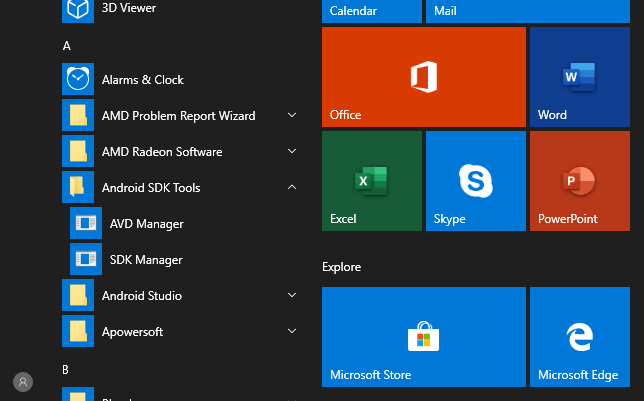
after the download and installation of the .exe file downloaded just install it , and then you will get a folder named ‘Android SDK Tools’ in the START MENU.
Make sure you have JDK installed in your machine
Open the SDK Manager found inside the Android SDK Tools folder.
Click on the ‘Updates/New’ and ‘Installed’ checkbox two times and this will deselect all the selected packages to be installed.
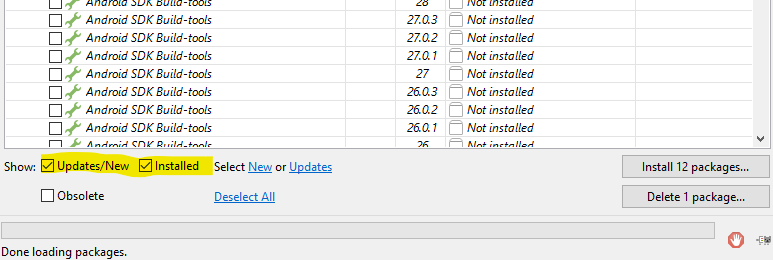
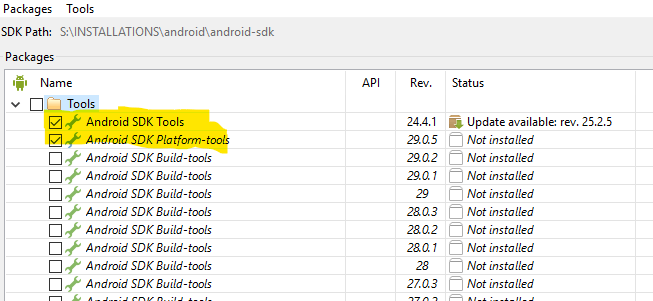
after deselecting the unwanted packages select the following packages.
Now select ‘Android SDK Tools’ and ‘Android SDK Platform-tools’.


Scroll down and select ‘Android 9(API 28)’ dropdownbox and add ‘SDK Platform’
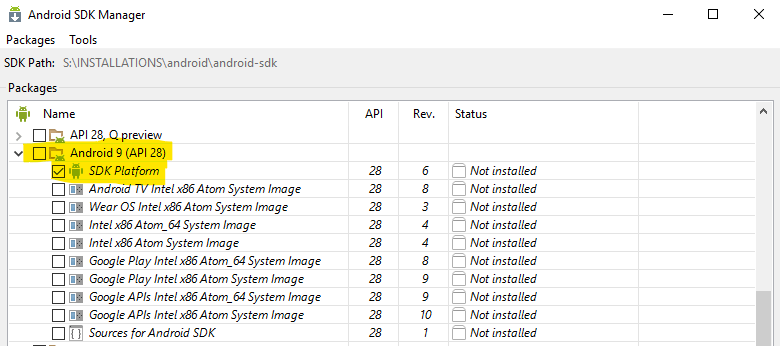
After that punch 👊 the Install button in the bottom of window
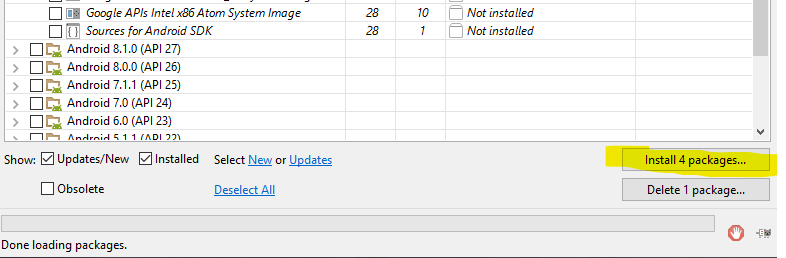
The installation might take some time ⏳


Now its time to set PATH or Environment variables for the android SDK , for reference use this youtube video.
Viola ! We got our android SDK installed 💖


